
Clipboard history
Everything you copied, one hover away.
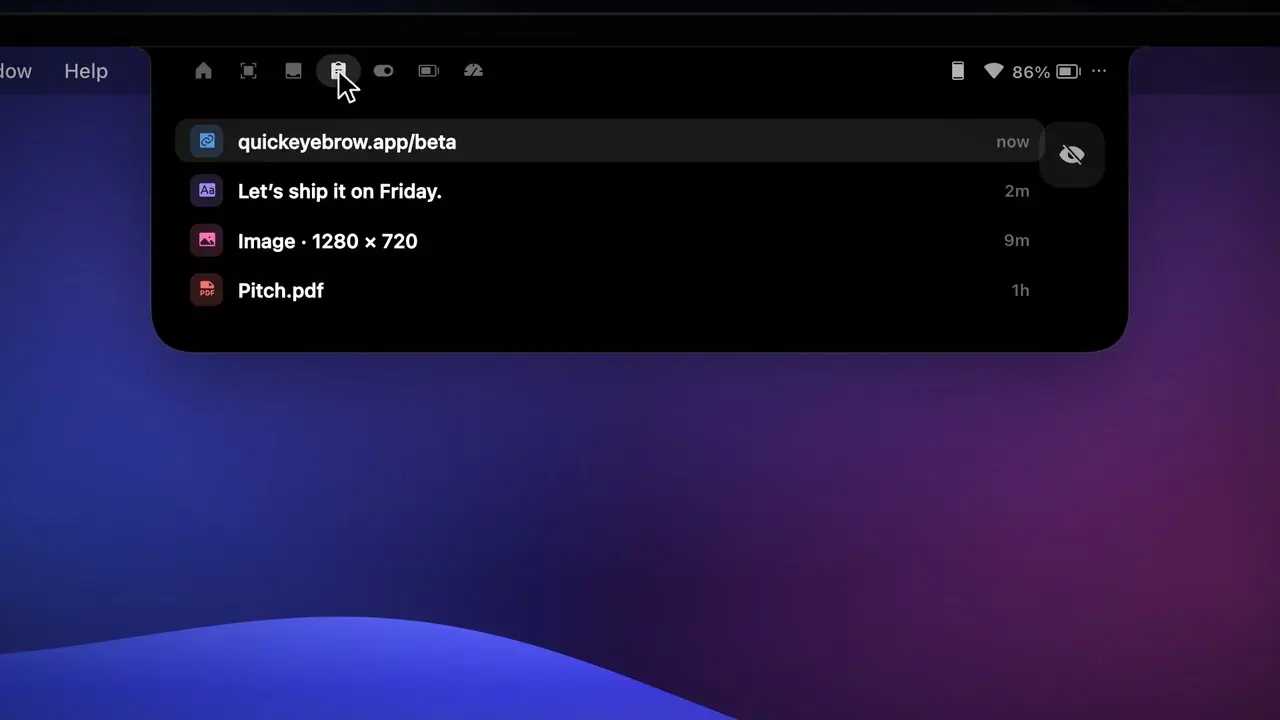
Quick Eyebrow keeps your last 40 copies (text, links, images and files) in the Clipboard tab. Click one to copy it again.
How it works
- 1
Open the Clipboard tab and click Turn On.
- 2
Copy as usual, in any app.
- 3
Hover the notch and click an item to copy it again.
The details
Text, links, images, files
Links get Open Link, files get Show in Finder, and any item can be removed.
Incognito
The eye button pauses recording; a purple eye shows in the notch while it’s on.
No duplicates
Copying the same thing again moves it to the top.
Opt-in and local
Nothing is recorded until you turn it on, and history stays on your Mac.
FAQ
Is my clipboard history sent anywhere?
No. It’s stored in your Mac’s Application Support folder and never leaves your Mac.
Why does macOS ask about pasting from other apps?
On macOS 15.4 and later, recording in the background needs Always Allow for Paste from Other Apps.
Want this in your notch?
Join the wishlist and be the first to know when it launches.