
Device batteries
Every battery, at a glance.
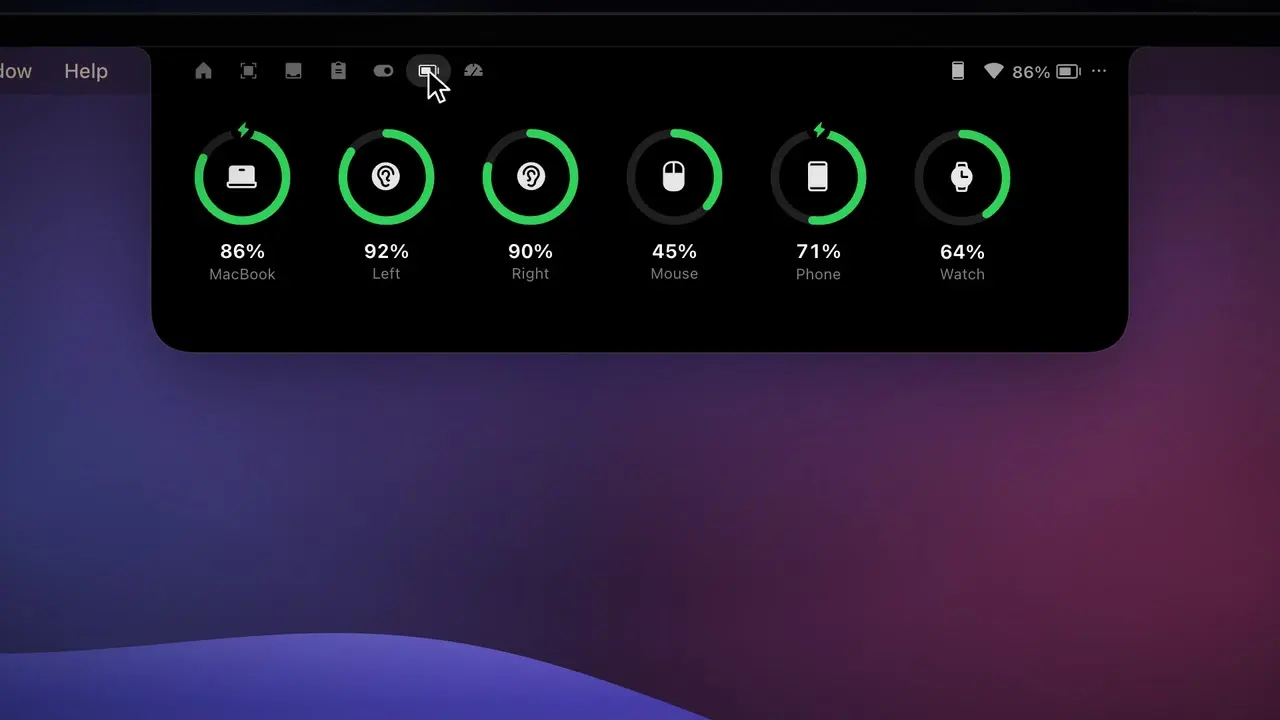
The Batteries tab shows your Mac, your iPhone and Apple Watch, AirPods with left, right and case, and your Bluetooth mice and keyboards.
How it works
- 1
Connect AirPods, or have your iPhone on the same Wi-Fi.
- 2
AirPods pop up with their levels when they connect.
- 3
Open the Batteries tab any time, or get an alert when one runs low.
The details
iPhone & Apple Watch
Over USB or Wi-Fi; the Watch is read through the iPhone.
AirPods & Beats
Left, right and case levels, plus mice, keyboards and trackpads.
Low-battery alerts
Choose the warning level from 10 to 30% in Settings › Alerts.
Charging bolt
Shown for the Mac, the iPhone and the Watch.
FAQ
How often are levels updated?
Every 3 seconds while the Batteries tab is open, and every 15 seconds otherwise. The Mac’s own battery updates instantly.
Why doesn’t my iPhone update while it’s locked?
A locked, idle iPhone leaves the Wi-Fi network, so its level updates once it wakes up again.
Want this in your notch?
Join the wishlist and be the first to know when it launches.