
System & network
Your Mac’s vitals, beside the camera.
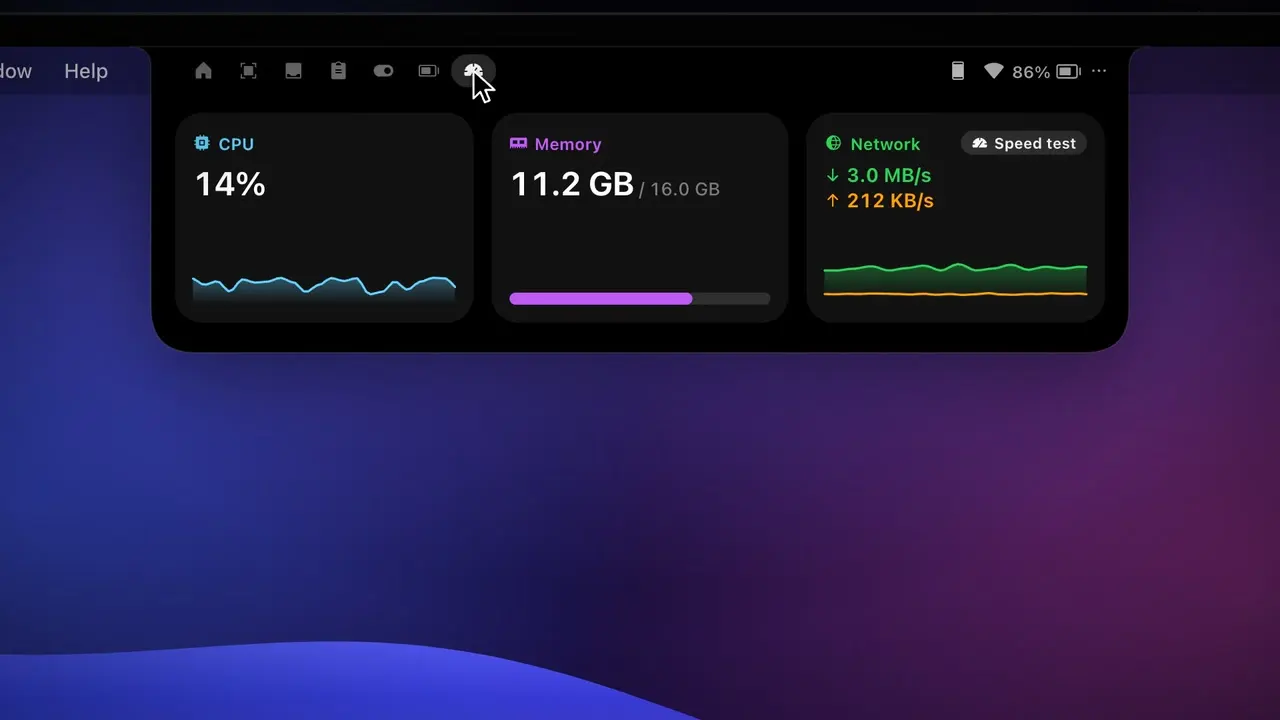
The System tab graphs CPU, memory and network up and down with a minute of history. Optionally, CPU and RAM sit beside the camera in the closed notch.
How it works
- 1
Open the System tab for live graphs.
- 2
Turn on CPU & RAM in Settings › Alerts to keep them beside the camera.
- 3
Click the Wi-Fi icon for the Network panel.
The details
Live graphs
CPU, memory used of total, and network up and down, with a minute of history.
Network panel
Wi-Fi name, signal in dBm, link speed, channel and band, or Ethernet.
Addresses & VPN
Local and public IP (click to copy), VPN on or off with its name.
Ping
To your router and to the internet, colored green, yellow or red.
Speed test
The Network card can test your internet or your local network: download, upload and ping, right in the notch.
FAQ
Why is the Wi-Fi name missing?
macOS only reveals the network name to apps with Location access. Click Show network name and allow it.
Want this in your notch?
Join the wishlist and be the first to know when it launches.